Services
Software development Process automation Local AI & own LLMs
Case Studies About us Products Contact Call us directly+41 79 786 06 46 Free initial consultation
Our own products · Developed in Switzerland

Software we develop and use ourselves

Alongside client projects, we build our own software. It solves typical tasks in Swiss SMEs: managing customers, writing invoices, automating workflows and using artificial intelligence (AI) securely. At its heart is MigImp – one chat for your entire business. Here you can see at a glance what each product does and who it is for.

  • 3 own products
  • 3 free open-source building blocks
  • 100 % developed in Winikon LU
01AI assistant for business systems

MigImp

One chat for your entire business: you write what needs doing – MigImp does it directly in your computers, servers and software.

  • Own AI model on your premises
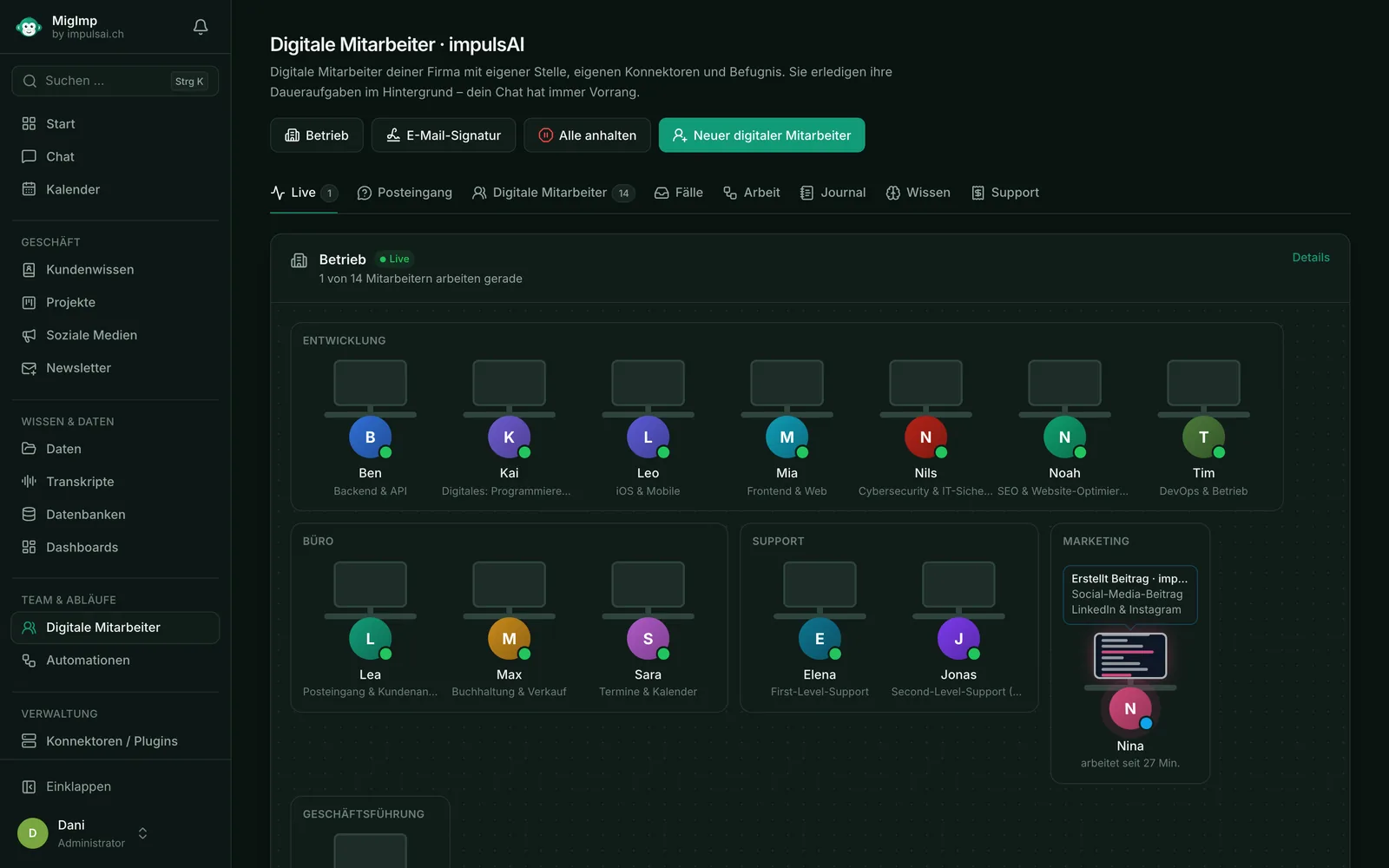
  • Digital employees
  • Nothing sent without approval

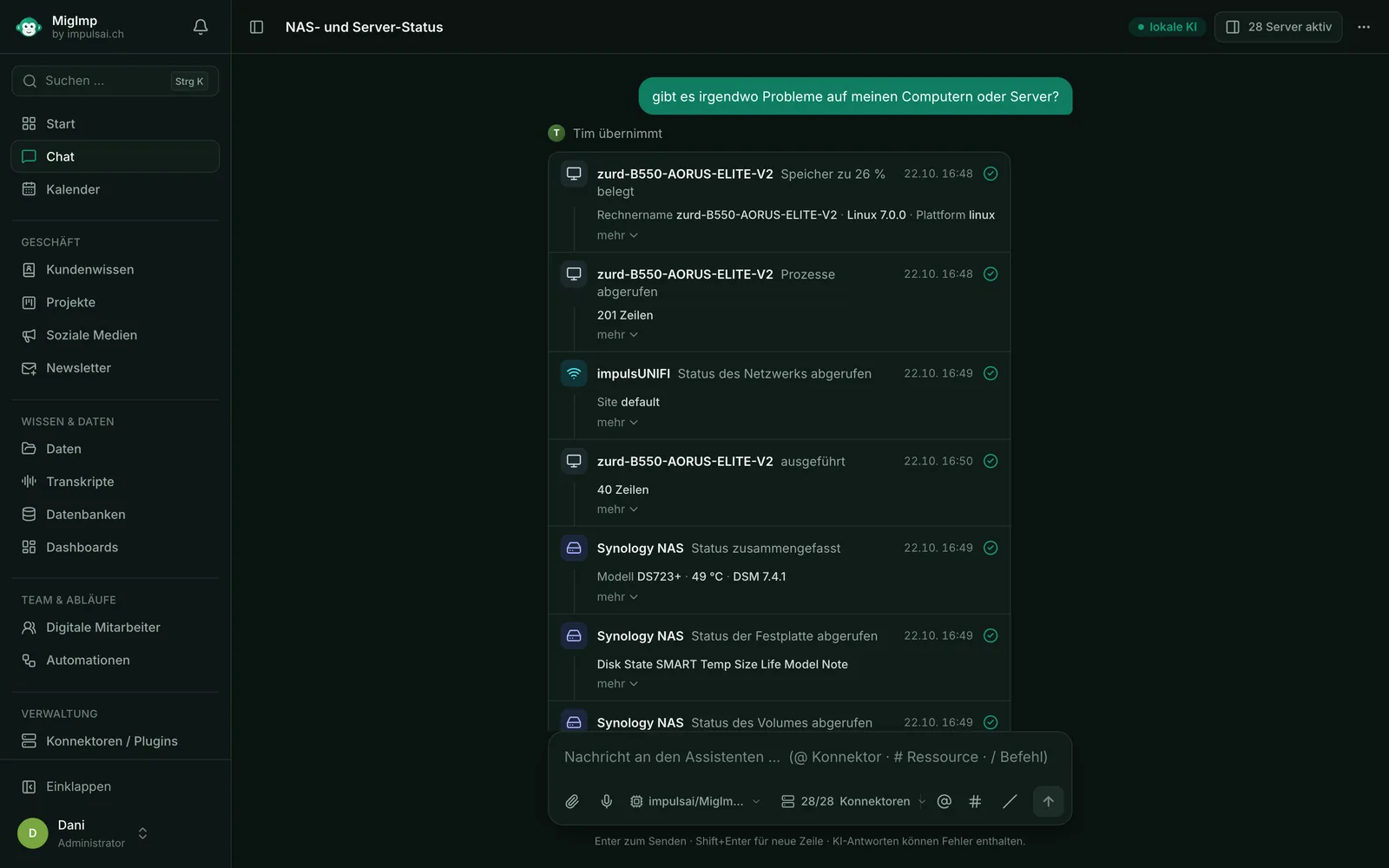
Email, CRM, accounting, servers, NAS, network: every system has its own login and its own interface. MigImp brings everything together in one chat. For example, you write: “Are there any problems on my computers or servers?” The responsible role takes over, checks every system and sums up the result in plain language.

The AI model runs on your own server or in your office. Customer data, credentials and emails never leave the building, and there are no per-request costs. To find out how we integrate AI into existing workflows, see AI integration.

  • 14 digital employees
  • 25 active connectors
  • 917 tasks in 30 days
  • 96.3 % error-free

In use at impulsAI, as of 20 October 2026.

How it works

  1. Describe the task in your own words
  2. The responsible role takes over with its own tools
  3. Every step remains visible in the chat
  4. You approve before anything is sent or deleted

What you can do with it

  • Digital employees: fixed roles such as accounting, inbox or IT – each with its own tools and its own permissions
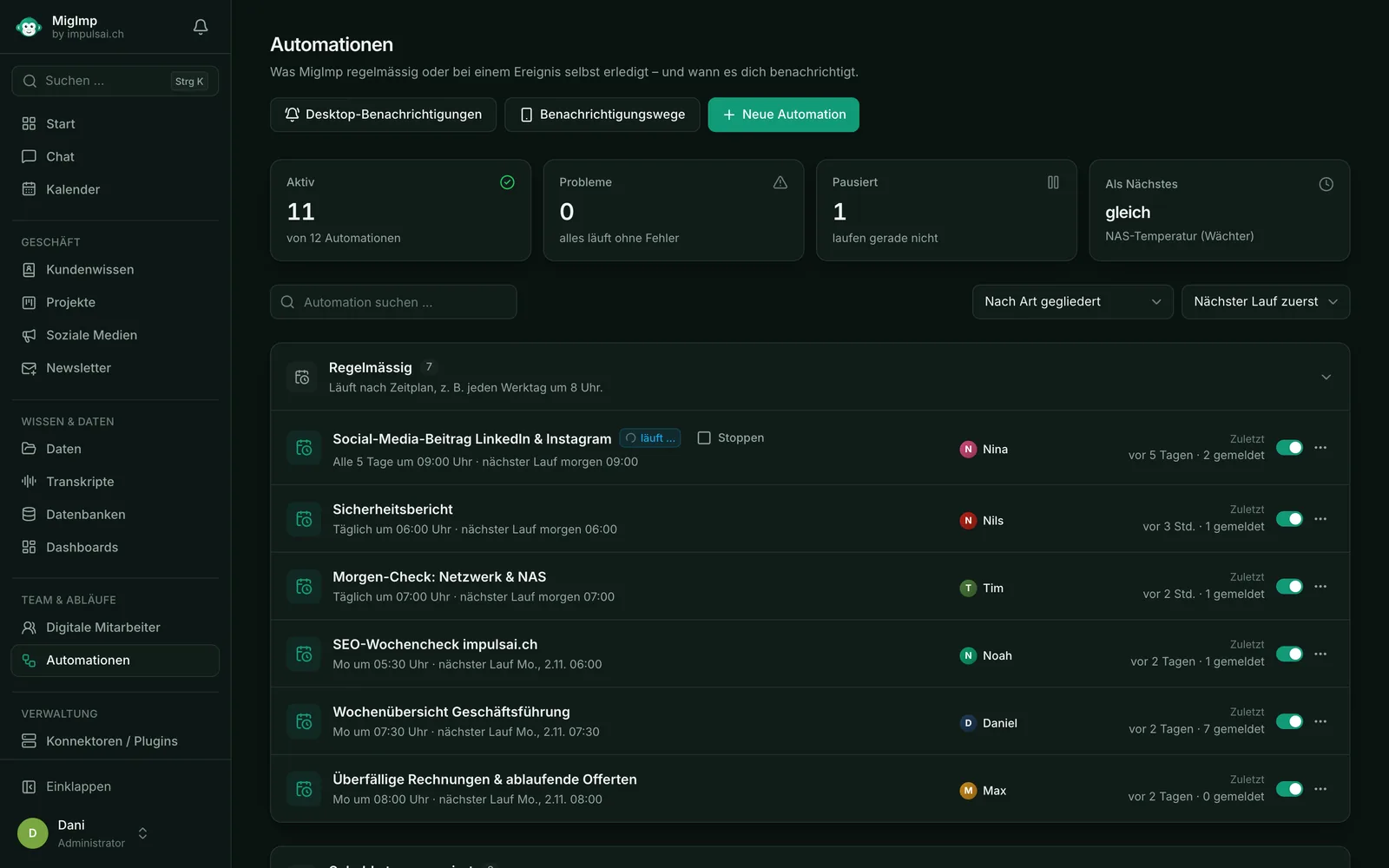
  • Automations: a sentence like “from now on every weekday at 7:30” becomes a recurring task. Notifications to your iPhone, by email or via Telegram
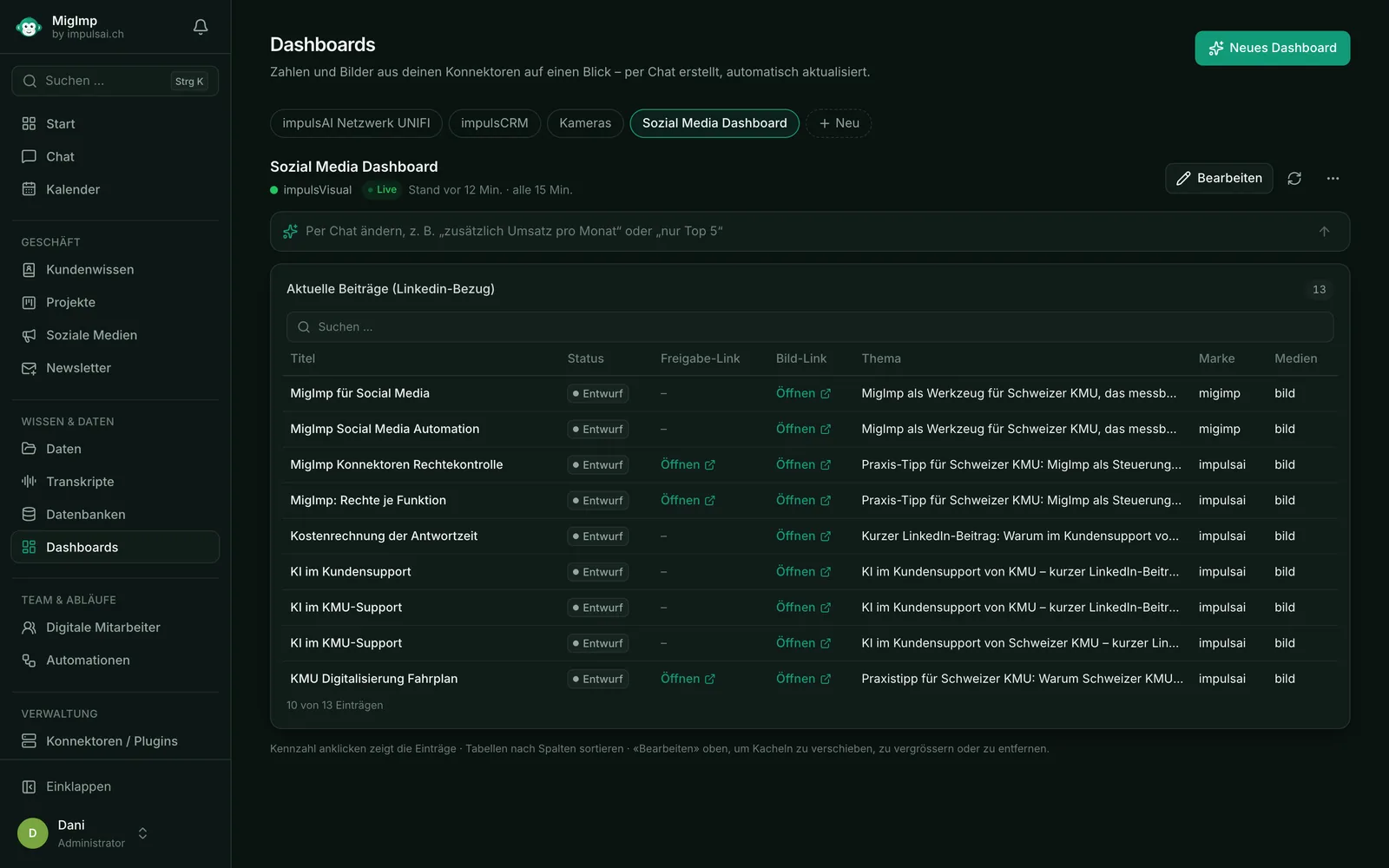
  • Dashboards: described in the chat, update themselves and cannot change anything
  • Computers, servers, NAS and network on Windows, macOS and Linux – check and control them via chat
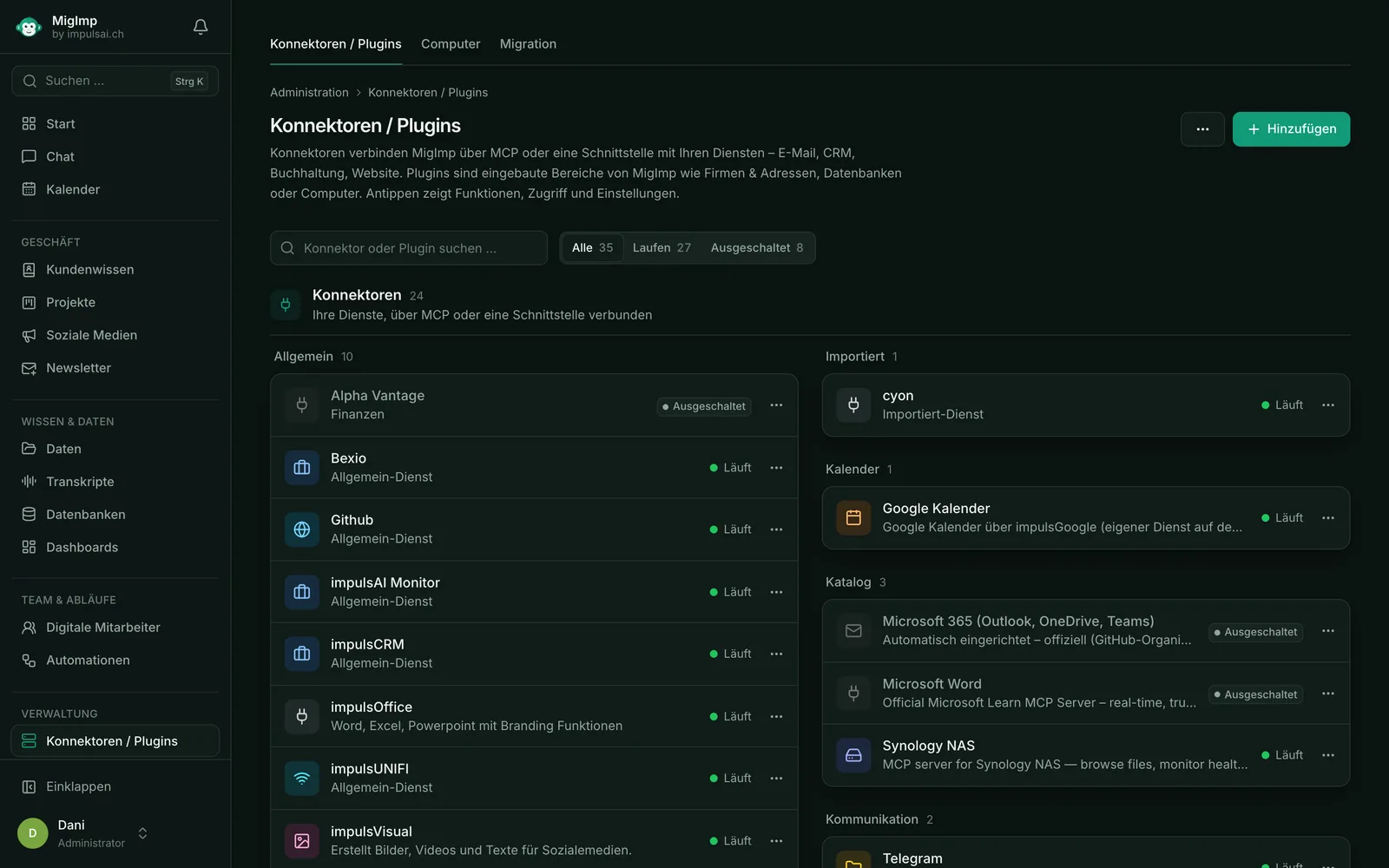
  • Business software such as CRM, accounting, email and calendar – connect it; if a connector is missing, we develop it
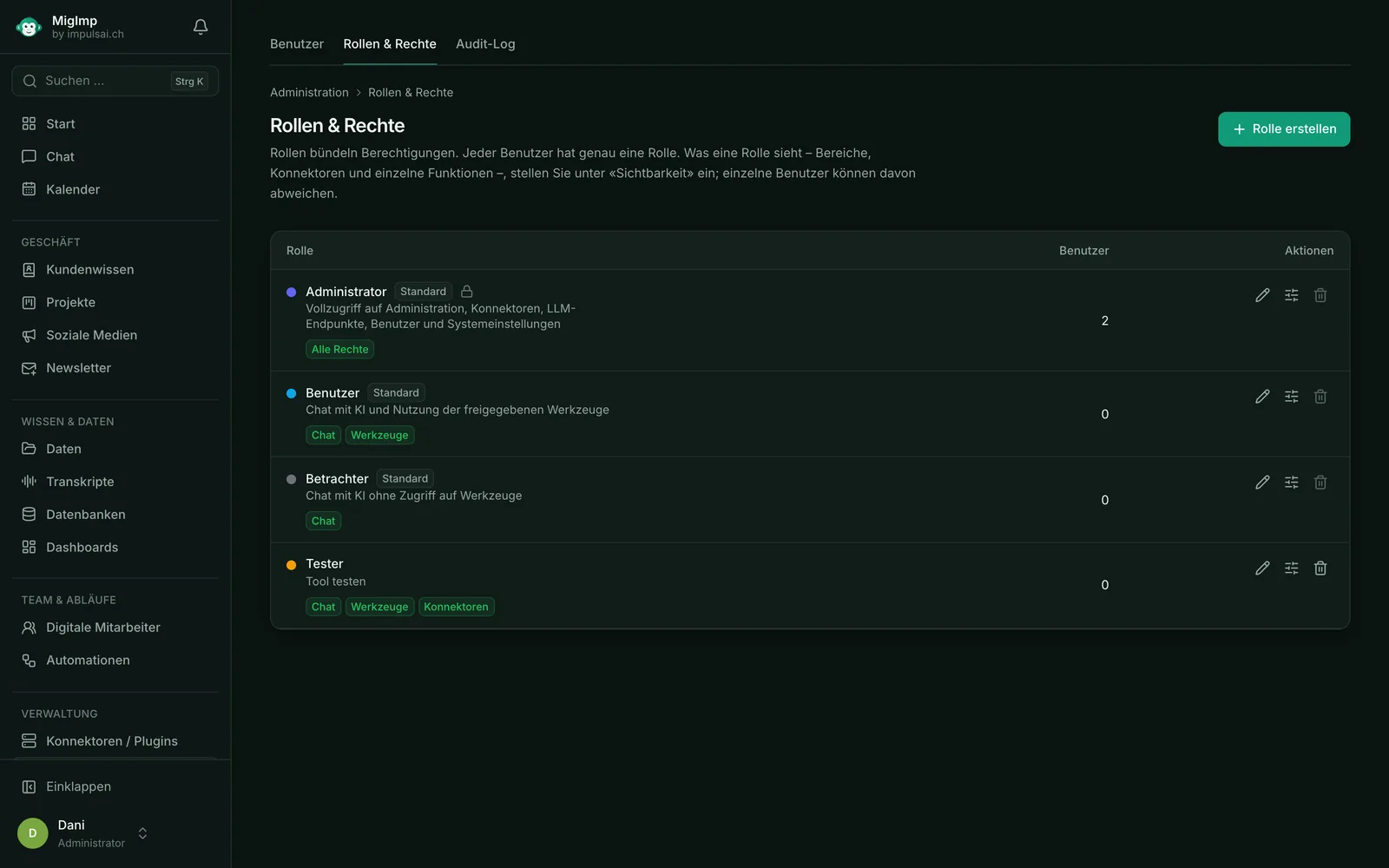
  • Control: roles and permissions per area, connector and function, plus a log of every action
Ideal for
  • Fiduciary services and administration
  • Trades and retail
  • Agencies
  • Services and IT
  • Strict data protection requirements
Technical details
  • Connectors via the open standard MCP (Model Context Protocol) – over STDIO, Streamable HTTP or SSE
  • Automatic selection of connector and function, even with hundreds of tools; target one directly with @connector, resources with #, quick commands with /
  • Own MigImp model, run locally via Ollama, LM Studio, llama.cpp or vLLM; cloud models via OpenAI-compatible endpoints only on request, selectable per chat
  • MigImp agent for Windows, macOS and Linux; other devices such as NAS via SSH
  • Automations on a schedule or triggered by events (web form, email, scripts such as backups or n8n); notifications via iOS app, email, Telegram or ntfy
  • Mandatory approval for deleting, sending, restarting and purchases – regardless of what the model writes
  • OAuth 2.1 and two-factor sign-in; API keys and secrets encrypted with AES-256-GCM
  • Users, roles & permissions per area, connector and function, plus an audit log
  • MCP gateway: MigImp is itself an MCP server for other clients and agents
  • Node.js, React and TypeScript
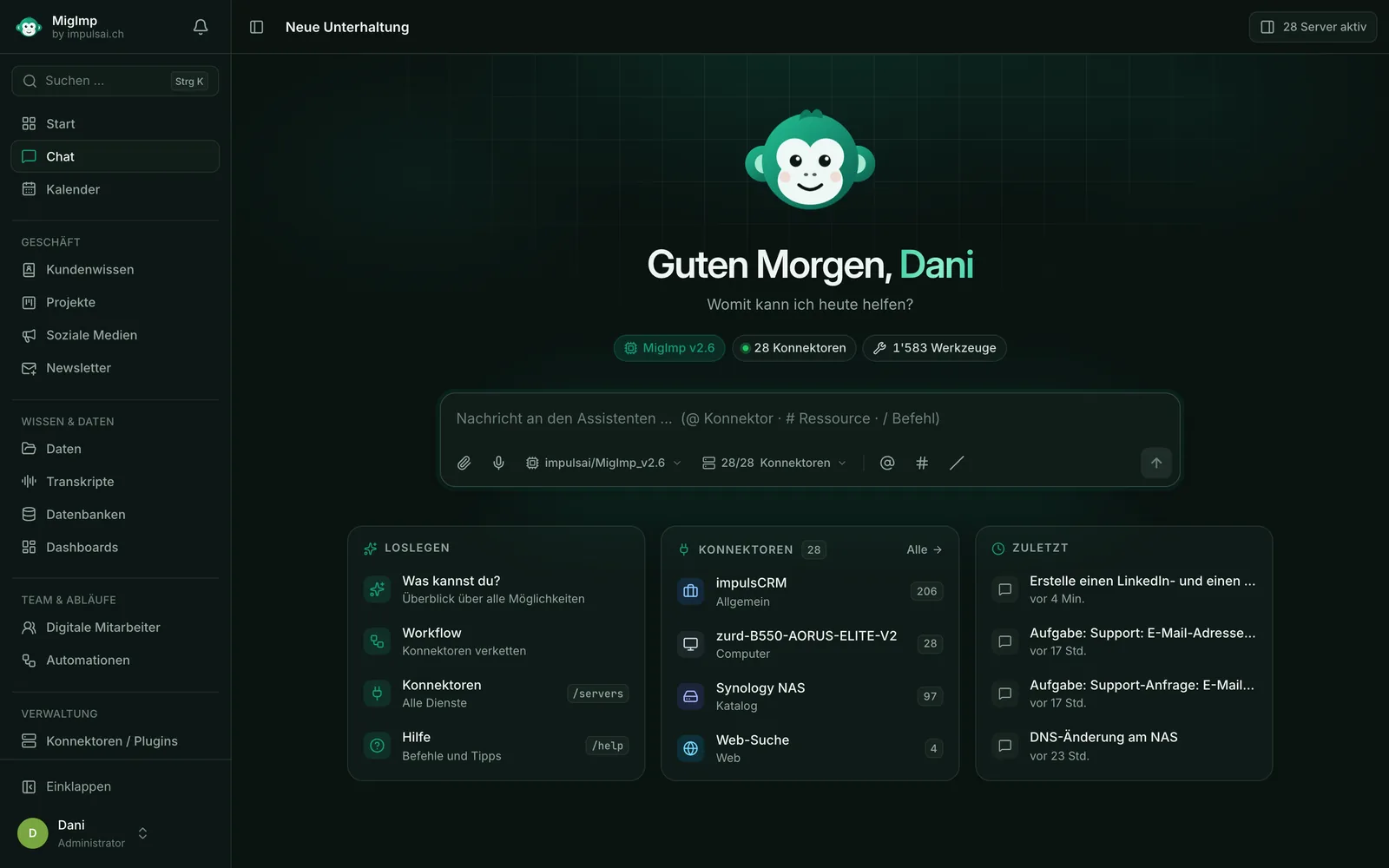
MigImp chat: asked about problems, the digital employee Tim takes over and checks computers, network and Synology NAS – every step with time and result, using local AI
A real chat: Tim checks computers, network and NAS – every step stays visible.
02Office software for SMEs

impulsCRM

Customers, quotes, invoices and working hours – all in one program instead of five.

  • Swiss QR-bill
  • Runs in the browser
  • 18 extension modules

In many businesses, customer data sits in Excel, quotes in Word and invoices in a third program. impulsCRM brings it all together: with one click, a quote becomes an order and then an invoice – without typing anything twice.

What you can do with it

  • Manage customers and contacts clearly in one place
  • Write a quote and convert it into an order and invoice with one click
  • Invoices with a Swiss QR payment slip – customers pay conveniently with their banking app
  • Record working hours and bill them directly
  • Revenue, outstanding invoices and orders at a glance, at any time
Ideal for
  • SMEs and the self-employed
  • Service providers billing by the hour
  • Businesses that want to replace Excel lists
Technical details
  • Full-stack web application built with React and TypeScript
  • Multi-tenant architecture: run it for your own company or as a white-label platform
  • Swiss QR-bill and a public payment link per invoice
  • 18 extension modules, including bexio sync, Stripe payments, payment reminders, VAT report, n8n webhooks and an AI agent
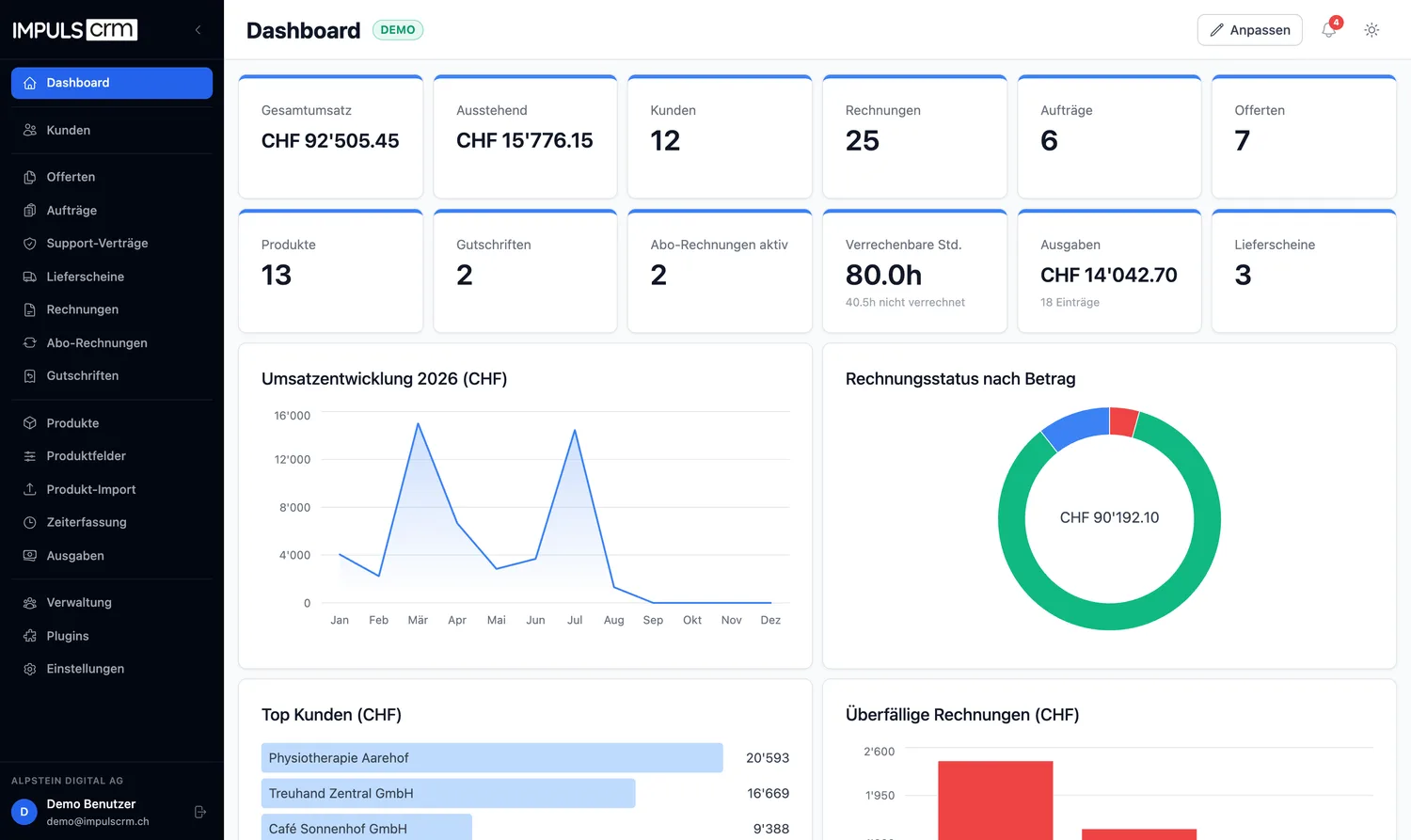
impulsCRM dashboard: revenue, outstanding amounts, customers, invoices and revenue trend at a glance
The dashboard shows revenue, outstanding amounts and orders at a glance.
03AI right on your computer

impulsOS

A personal AI assistant built right into your computer – your data never leaves the machine.

  • Open Source
  • For Linux
  • AI runs locally

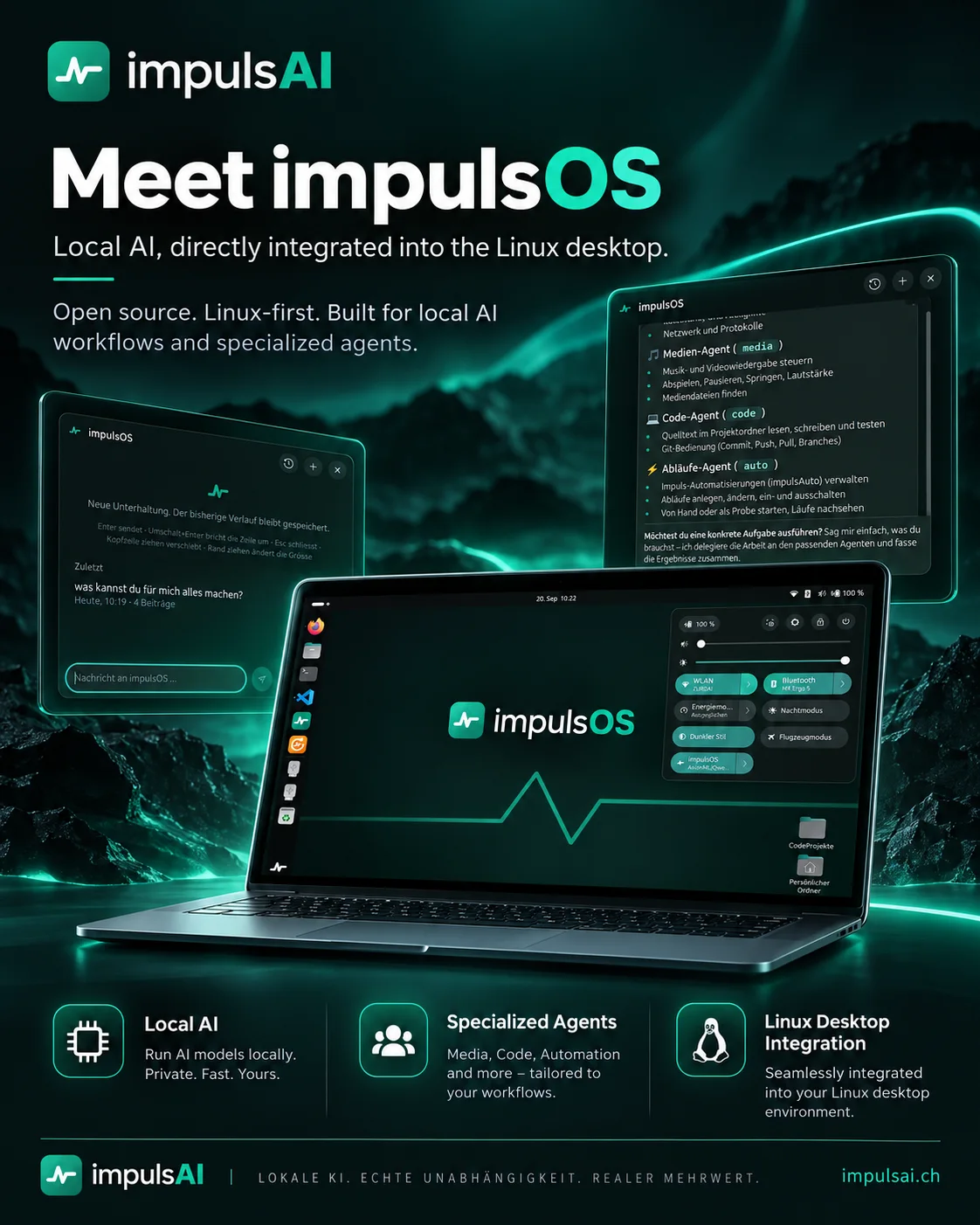
Most AI tools run on the internet: whatever you type ends up on someone else’s servers. impulsOS takes a different approach. The AI runs directly on your computer (Linux operating system). You tell the assistant what you need – it distributes the work to specialised helpers, known as agents, and sums up the result.

What you can do with it

  • Private: the AI runs on your own computer – fast and independent of the internet
  • Media helper: control music and videos, find files
  • Coding helper: read, write and test code
  • Workflow helper: have recurring tasks done automatically
  • Always at hand: the assistant is in quick access, and your history is saved
Ideal for
  • Linux users
  • Companies that want to use AI without the cloud
  • Developers and tech enthusiasts
Technical details
  • Open source and Linux-first, built for local AI workflows
  • Local language models – no cloud dependency
  • Agents: media (playback, media files), code (project folders, tests, Git) and auto (create, start and monitor automations with impulsAuto)
  • Integration into the desktop quick access, persistent chat history
impulsOS on a laptop: Linux desktop with integrated AI assistant, chat window and an overview of the agents for media, code and workflows
Assistant and agents, right in the Linux desktop.
Open source · free

Free building blocks for n8n

n8n is a tool that runs workflows between programs automatically – for example: new order in the online shop → create invoice in bexio → send PDF by email. For n8n to “talk” to a program, it needs the right building blocks (known as nodes). We have developed these three and make them available to everyone free of charge.

Available

bexio integration

Connects n8n to bexio, the widely used Swiss accounting software. Invoices, contacts and quotes are created automatically – no retyping.

  • Contacts, customers and suppliers
  • Invoices, quotes and orders
  • Items, banking and payments

TypeScript · bexio API · MIT licence

Available

PDF generator

Turns data into finished PDF documents – such as reports, quotes or invoices. Unlimited, with no subscription and without your data leaving your server.

  • From HTML, text, tables or JSON
  • No API keys and no limits
  • Runs locally – ideal for confidential documents

TypeScript · Puppeteer · pdf-lib · MIT licence

In development

Swiss QR-bill

Creates Swiss QR-bills automatically – with a correct payment part that any banking app can read.

  • To the Swiss standard (ISO 20022)
  • Validates the details automatically
  • Export as PDF or image

TypeScript · Swiss QR Bill · ISO 20022

Your advantage

What our own products mean for your project

Running our own software means we know what matters in day-to-day use. Our client projects benefit from this too.

Proven in daily use

We use our software ourselves. If something does not work in practice, we are the first to notice – and we improve it.

Made for Switzerland

QR-bill, VAT, bexio and Swiss franc amounts: Swiss specifics are built in from the start.

Proven building blocks for you

What has proven itself in our products, we also use in your project. That saves time and reduces costs.

What we work with
  • TypeScript
  • Node.js
  • React
  • Python
  • n8n
  • Local AI models
  • MCP
  • Puppeteer & pdf-lib
Simply explained

Frequently asked questions

Can’t find your question? We will answer it personally – usually on the same day.

Ask a question +41 79 786 06 46
What is a CRM – and what is an ERP?

A CRM is a program for managing customers: contacts, conversations, quotes. An ERP also covers your business processes, such as orders, invoices, time tracking and expenses. impulsCRM combines both in one program.

What does “local AI” mean?

The AI runs on your own computer or server rather than with a provider on the internet. As a result, your input and documents never leave your network. MigImp and impulsOS can both be run this way.

What is an MCP server?

MCP (Model Context Protocol) is an open standard that lets an AI work with other programs – for example, reading emails or creating a customer in the CRM. An MCP server is a program’s “plug socket” for the AI. MigImp manages any number of these sockets in one place.

What does open source mean?

The source code is publicly available and – depending on the licence – may be used and adapted free of charge. Our n8n building blocks for bexio and PDF are released under the MIT licence and can be installed via npm.

Can I see or try the products?

You will find all the information on impulsCRM at impulscrm.ch. We are happy to show you MigImp and impulsOS in person – just get in touch and we will arrange an appointment.

Do you also develop a tool just for my business?

Yes. That is our core business: from an interface between two programs to an n8n automation or a complete application of your own. In the free initial consultation, we clarify the effort involved and feasibility.

Need an automation that doesn’t exist yet?

We will build it. Tell us what the tool should do – in the initial consultation, we clarify the effort involved and feasibility.

Free initial consultation Or call us directly: +41 79 786 06 46
  • Free & without obligation
  • We usually reply within one business day
  • 30 minutes, honest assessment
Call Send enquiry